First Workstation Registration
The first machine you connect to Platform Connectors from must be registered as an admin workstation. This consumes one slot from your license.
Note
You can start the onboarding from a different machine than the server host, but that machine must be able to reach the server over the network. At least 1 admin workstation is required to manage other workstations.
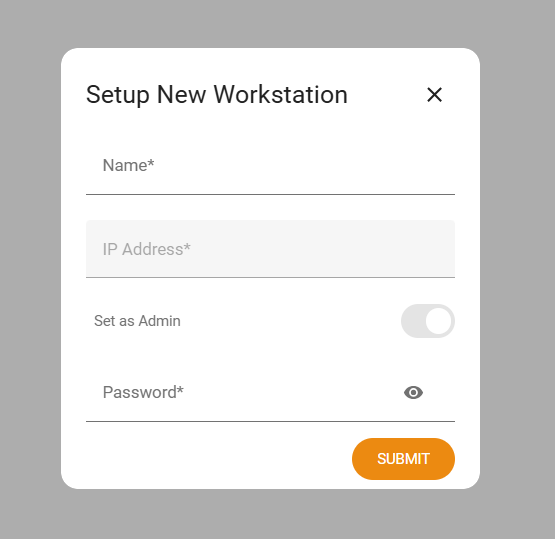
Registering a workstation
Name: Provide a friendly name for the workstation (e.g. “Admin PC”)
IP Address: The IP address for the initial workstation is auto-detected. This field will be greyed out
Set as Admin: The first workstation must be an admin. This field will be greyed out
Password: Set a password for this workstation. This password will be used when navigating to the Settings page from this workstation.
Click SUBMIT to complete the process.
Next steps
After registration, proceed to plugin installation and configuration: Plugins.